Turn EarnKit on
When this step is done, your program is running and eligible orders start earning points.
Your program is set up. This screen shows what you chose, and lets you start awarding points.
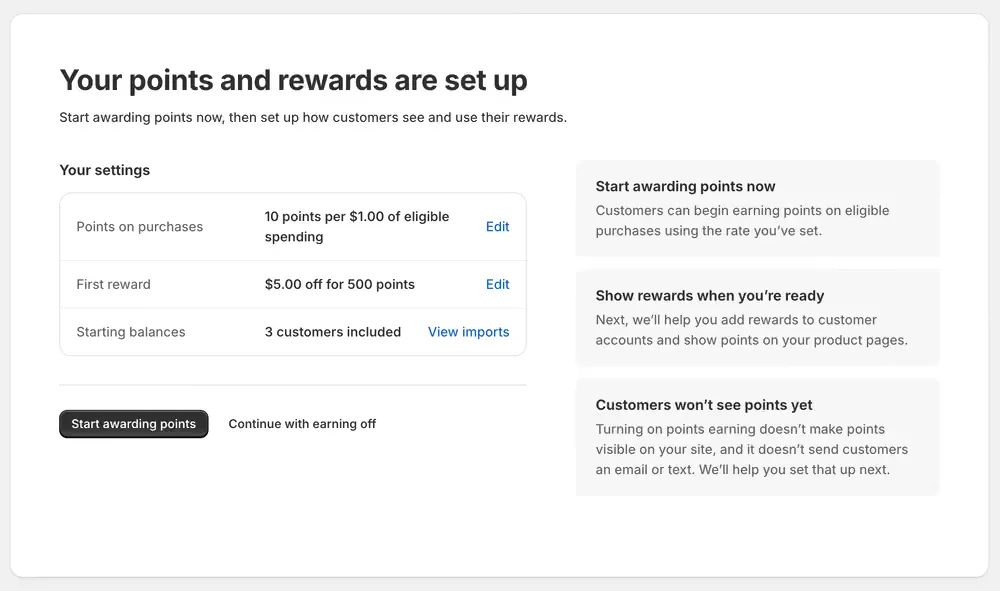
Check what you chose
Your settings repeats the three decisions you have made: your points rate, your first reward, and how many customers got a starting balance. Edit takes you back to any of them, and View imports opens the starting balances you added. Nothing here is fixed; you can change all of it later.
Turn on points earning
Start awarding points switches earning on. From that moment, eligible paid orders earn points at your rate. Continue with earning off moves on without switching it on, and you can turn it on whenever you like from Program › Ways to Earn.
It is safe to turn this on now, and there is a cost to waiting. Switching earning on does not put anything on your storefront, does not make points visible to customers, and does not send anyone an email or a text. Nothing about your shop changes from a customer’s point of view.
What does change is that orders start counting. An order paid while earning is off is recorded as having earned nothing, permanently: it will not be picked up later when you switch earning on, and it cannot be replayed, because EarnKit already has a decision on file for it. The only way to give those points afterwards is to adjust each customer by hand.
If your shop is taking orders while you finish setting up, turn earning on now.
What happens next
Setting up the program is the part you have finished. What is left is the part your customers see: adding the Rewards page to their account, and showing points as they shop.
EarnKit takes you to your dashboard, where a setup checklist covers what is left, grouped into Program basics, Customer experience, Ways to earn and Rewards. Anything that does not apply to your shop can be marked Not needed.
Until you add those displays, your program runs quietly: points accrue, and customers see nothing about them.