Show points on the thank-you page
When this step is done, customers see what they earned the moment they finish an order.
In EarnKit: Onsite › Points on the Thank you page
This is the best moment your program gets: the customer has just paid, and the page tells them they earned something for it. It is the difference between a program they find later and one they meet immediately.
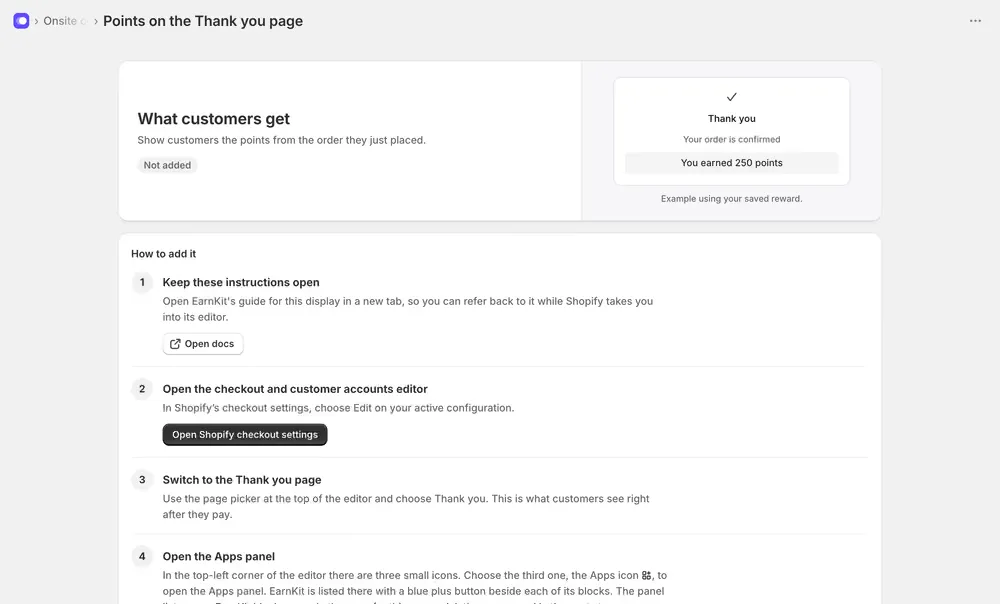
It is Recommended, not required, and Not needed on the checklist takes it off your list if it does not suit your shop.
Add it in Shopify
The Thank you page lives in the same checkout and customer accounts editor as the Rewards page, so the path is familiar:
-
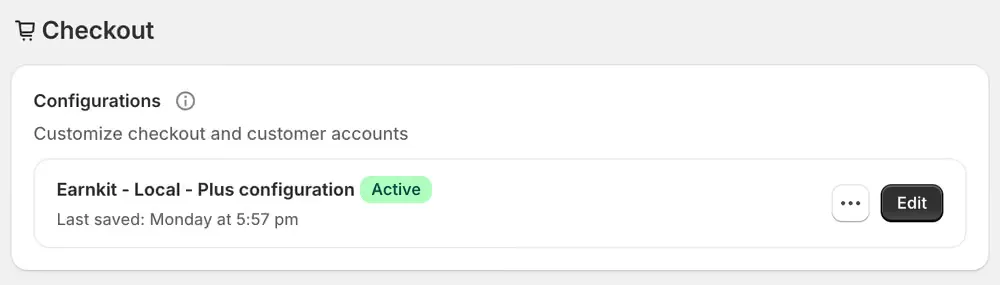
Open Shopify checkout settings and choose Edit on your active configuration. In Shopify that is Settings then Checkout, under Configurations.
-
Switch to the Thank you page with the page picker at the top of the editor. This is what customers see right after they pay.
-
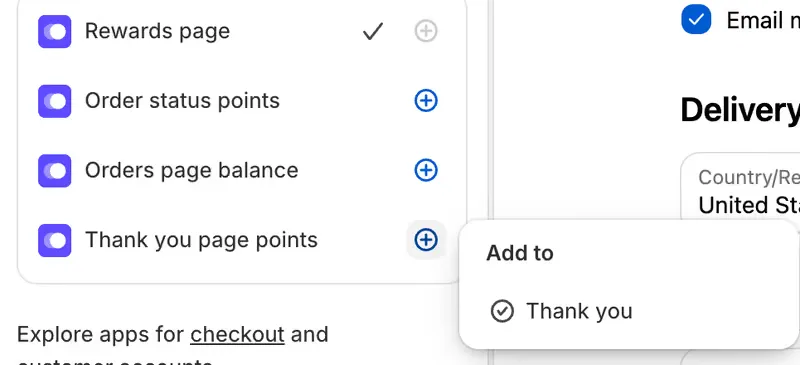
Open the Apps panel: the third of the three small icons, top left. EarnKit’s blocks are listed with a plus beside each. Choose the plus beside Thank you page points, then Thank you under Add to.
-
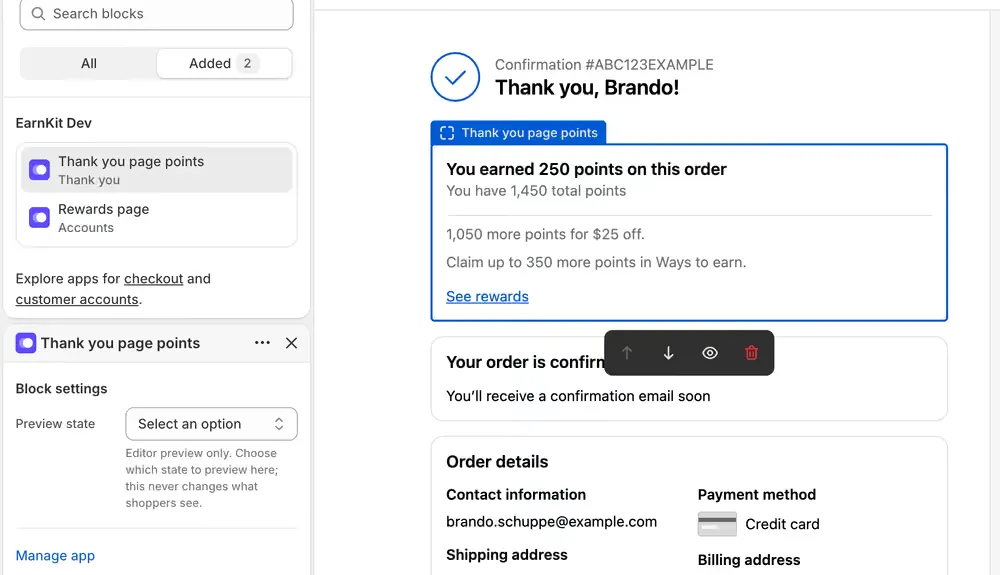
Position it and save. The block lands on the page and you can move it up or down with the arrows on its toolbar. Choose Save when it sits where you want it.
What the block shows
More than the points from that order. In one card a customer sees what they just earned, their total balance, how many more points the next reward needs, and whether there are other ways to earn they have not claimed, with a link through to their Rewards page.
That last part is why this display is worth adding even though it is optional: it is the one place that turns a single order into the next one while the customer is still paying attention.
Preview state in the block settings only changes what you see in the editor. It never changes what a customer sees.
No confirmation needed here
Unlike the Rewards page, you do not have to tell EarnKit you have done it. The status updates by itself once the block is live.
The reason is the same one that makes the Rewards page different: every customer who pays lands on the Thank you page, so an active block there is proof they will see it. The Rewards page has to be linked from a menu before anyone can reach it, and EarnKit cannot see menus.
The block shows what that order earned. If your program holds points for a pending period, a customer sees the points as pending here rather than available, which is the honest thing to show them and matches what they will find in their account.