Set up referrals
When this step is done, your customers can bring you new ones.
In EarnKit: Program › Refer a Friend
It happens in a fixed order
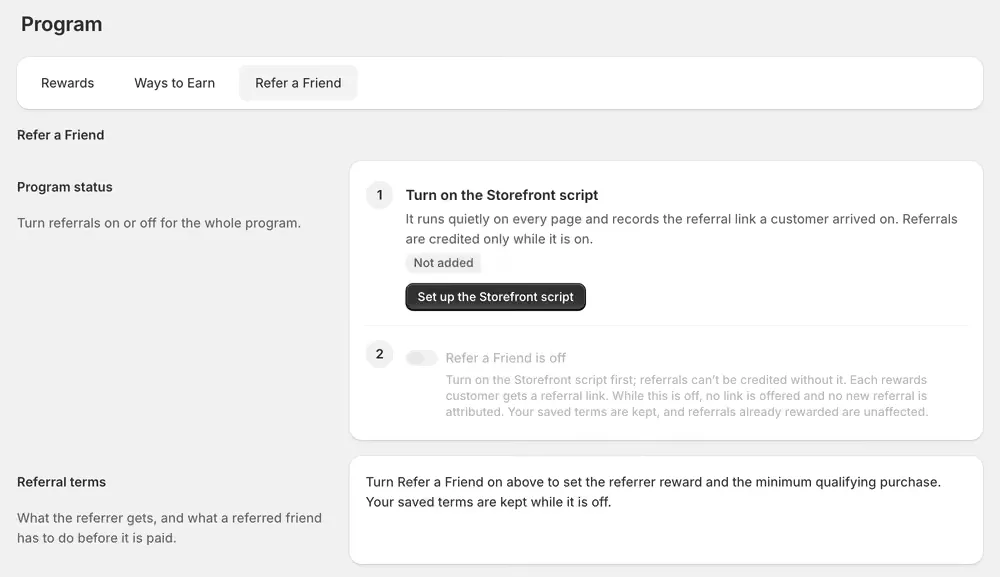
Referrals are the one way to earn with a prerequisite, and EarnKit enforces it: you cannot turn the program on until the tracking is in place, and you cannot set the terms until the program is on.
Customers also find their referral link on the Rewards page, which you added earlier in this guide, so that part is already done.
1. Turn on the Storefront script
This is EarnKit’s app embed. In Shopify’s App embeds panel it is listed as Storefront script, which is the name to look for.
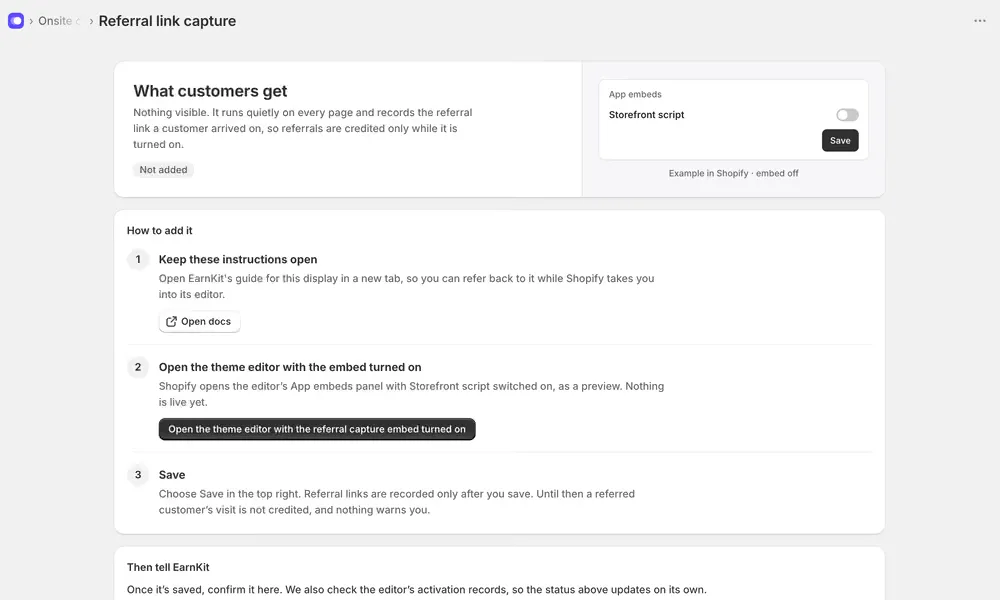
It adds nothing a customer can see. It runs on every page and records which referral link someone arrived on, which is the only way a visit can later be tied to an order.
Open the theme editor with the referral capture embed turned on opens the App embeds panel with it already switched on, as a preview.
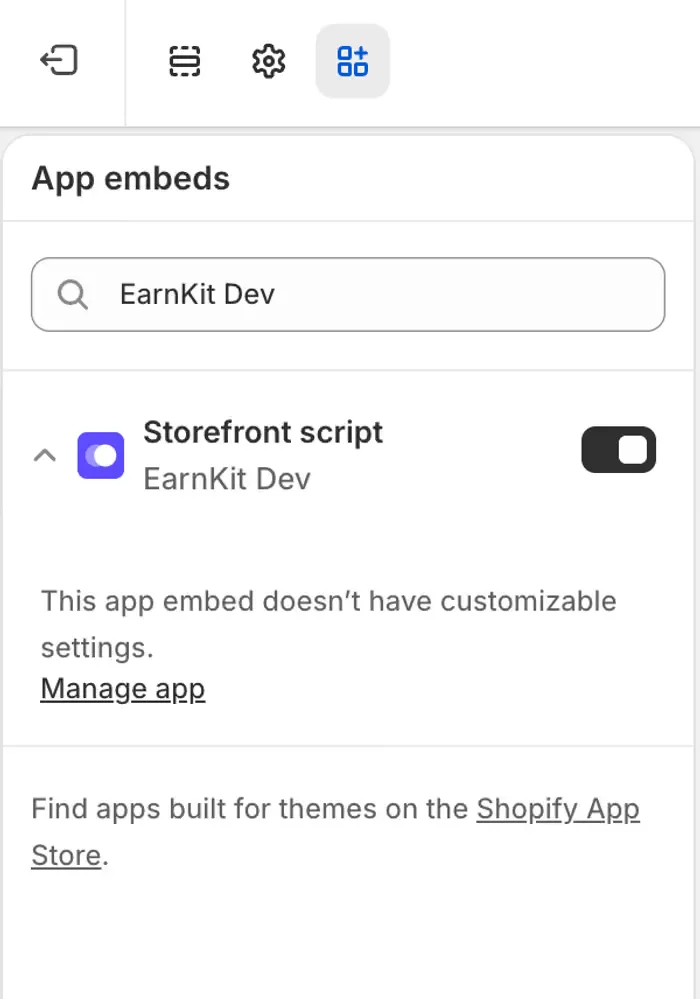
There is nothing to configure: Shopify says as much in the panel. Check the switch is on, then choose Save, top right.
Nothing is recorded until you save. Before that a referred customer’s visit simply is not credited, and nothing anywhere warns you it was missed. This is the one step in the guide that fails silently.
EarnKit checks the editor’s activation records, so this status updates on its own once it is live.
2. Turn referrals on
Once the script reads Added, the switch beneath it comes alive. In Program › Refer a Friend, turn on Refer a Friend is on.
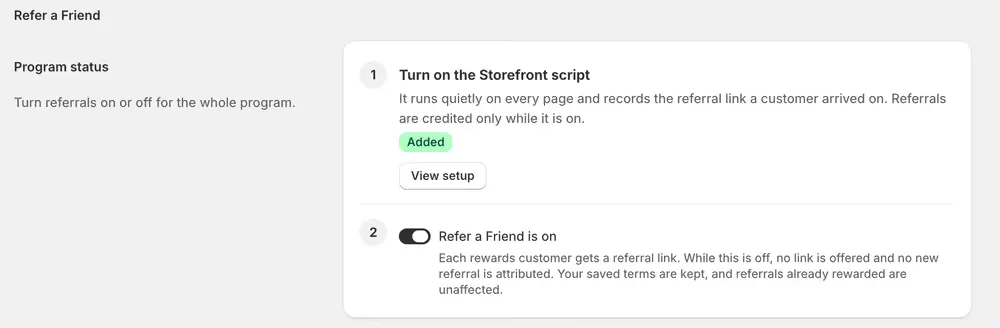
Every rewards customer is now offered a referral link on their Rewards page.
While referrals are off, no customer is offered a link and no new referral is attributed. Your saved terms are kept, and referrals already rewarded are untouched, so turning it off is a pause rather than a reset.
3. Set what the referrer gets
These only appear once the program is on.
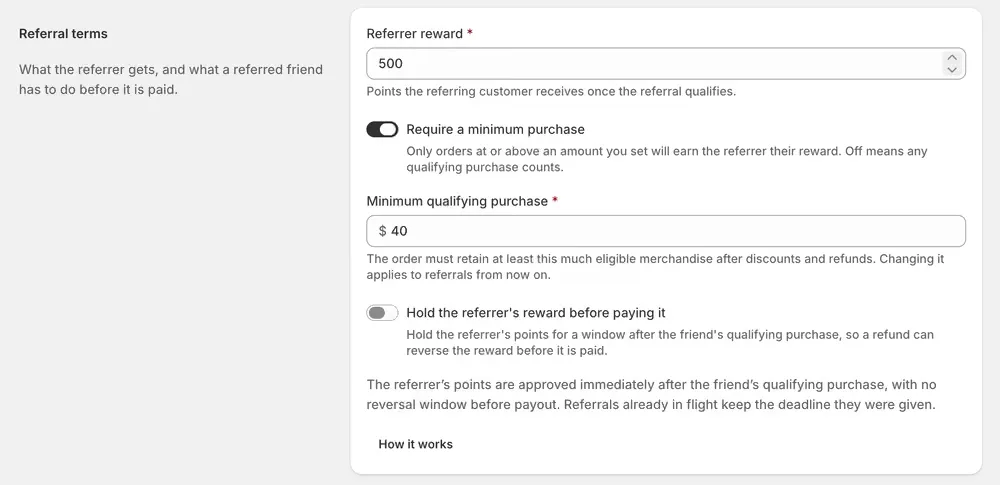
Referrer reward is the points your customer receives once the referral qualifies.
Require a minimum purchase is what stops a referral being worth paying for on a trivial order. The amount is measured on eligible merchandise after discounts and refunds, so a friend cannot reach it with a discount code and then partially refund their way below it while the referrer keeps the points.
Hold the referrer’s reward before paying it delays payout so a refund can reverse the reward first. With it off, the points are approved immediately and there is no reversal window. New programs start with the hold on at 30 days.
Changing any of these applies to referrals from now on. Referrals already in flight keep the terms and the deadline they were given, so tightening your rules never claws back something a customer has already earned.
4. Set what the friend gets
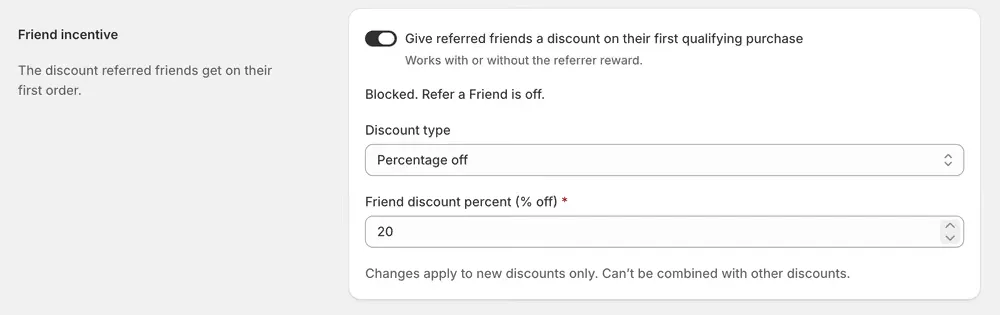
The friend’s discount works with or without the referrer reward, so you can run either half alone.
Discount type is the one place EarnKit issues something other than a fixed amount: a referral friend discount can be a percentage off or an amount off. Rewards elsewhere in EarnKit are always a fixed amount.
The friend discount cannot be combined with other discounts. A friend arriving with a code from somewhere else will use one or the other, not both, so set it high enough to be the better offer if you run other promotions.
If you set a fixed amount rather than a percentage, it has to be less than your minimum qualifying purchase. EarnKit refuses to save a discount that could take a qualifying order below the bar it has to clear.