Show points on the orders page
When this step is done, customers see their balance whenever they look at their orders.
In EarnKit: Onsite › Points on the Orders page
The Orders page is the part of an account customers actually visit. This puts a banner above the order list showing what they have, and a way through to spend it.
It is the last of the four optional displays, and the least effort: there is nothing to configure.
Add it in Shopify
Same editor as the Rewards page, the thank-you page and the order-status page:
-
Open Shopify checkout settings and choose Edit on your active configuration. In Shopify that is Settings then Checkout, under Configurations.
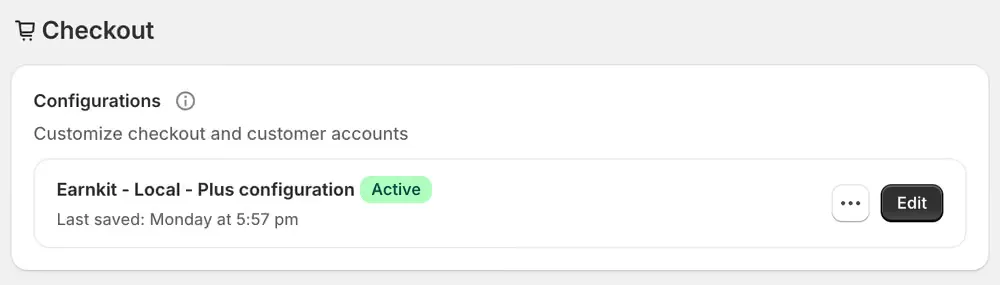
-
Open the Apps panel, the third of the three small icons in the top-left corner.
-
Choose the plus beside Orders page balance, then Orders under Add to.
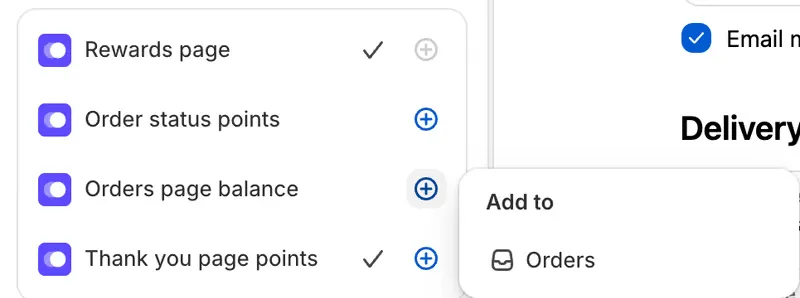
-
Position it and save. The banner sits above the order list.
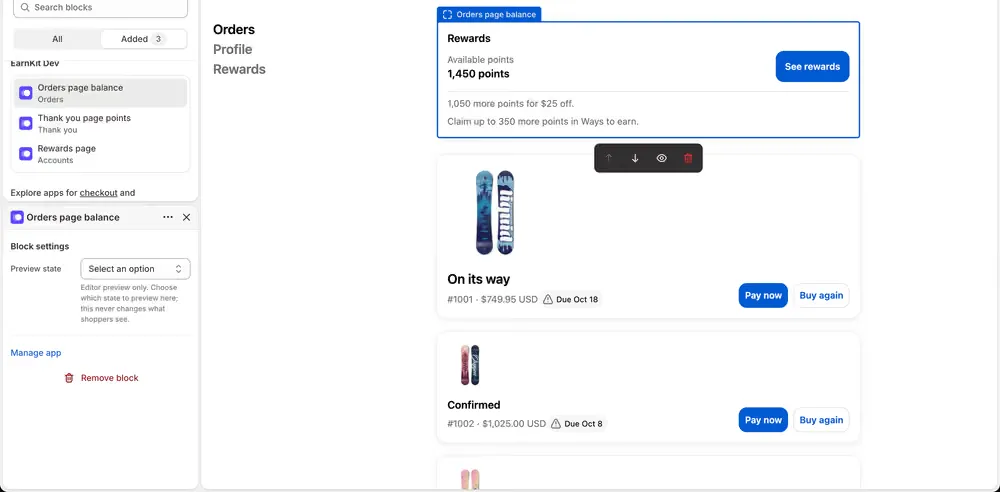
EarnKit notices this one by itself. There is nothing to confirm.
What customers see
A Rewards banner with their Available points and a See rewards button through to their Rewards page. Underneath, a line about what their balance is worth next: how far off the next reward they are, and whether there are ways to earn they have not claimed.
A negative balance shows as it is, the same as anywhere else a balance appears. EarnKit does not hide it or round it up to zero.