Show points on the order-status page
When this step is done, customers see their points when they check on an order.
In EarnKit: Onsite › Points on the Order status page
The thank-you page is seen once. The order-status page is where a customer comes back, sometimes several times, while they wait for a delivery. This display puts their points in front of them on each of those visits.
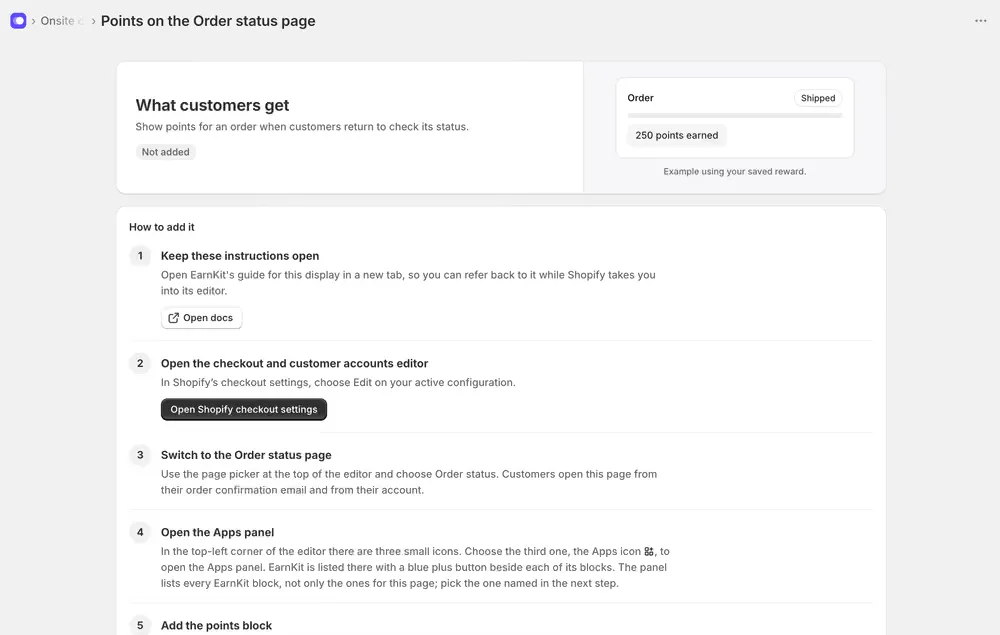
Recommended, not required, and it reaches a narrower group than the thank-you page: only customers who come back to look.
Add it in Shopify
The Order status page is in the checkout and customer accounts editor, so the path matches the thank-you page:
-
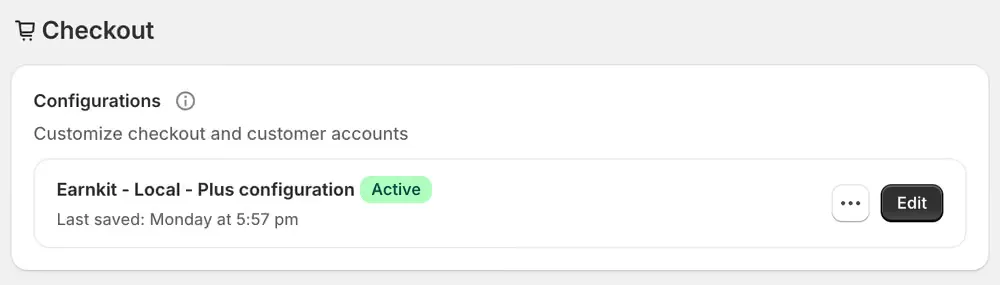
Open Shopify checkout settings and choose Edit on your active configuration. In Shopify that is Settings then Checkout, under Configurations.
-
Switch to the Order status page with the page picker at the top of the editor. Customers open this page from their order confirmation email and from their account.
-
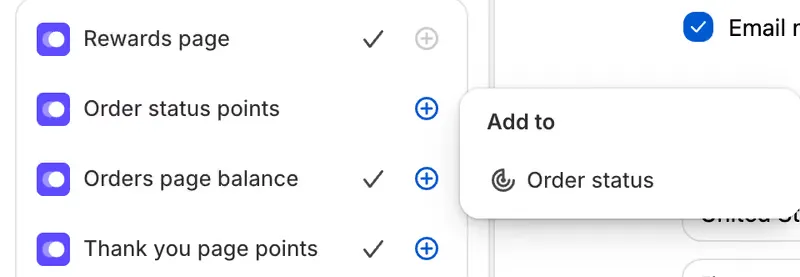
Open the Apps panel, the third of the three small icons. Choose the plus beside Order status points, then Order status under Add to.
-
Position it and save. The block sits with the order’s payment and delivery detail.
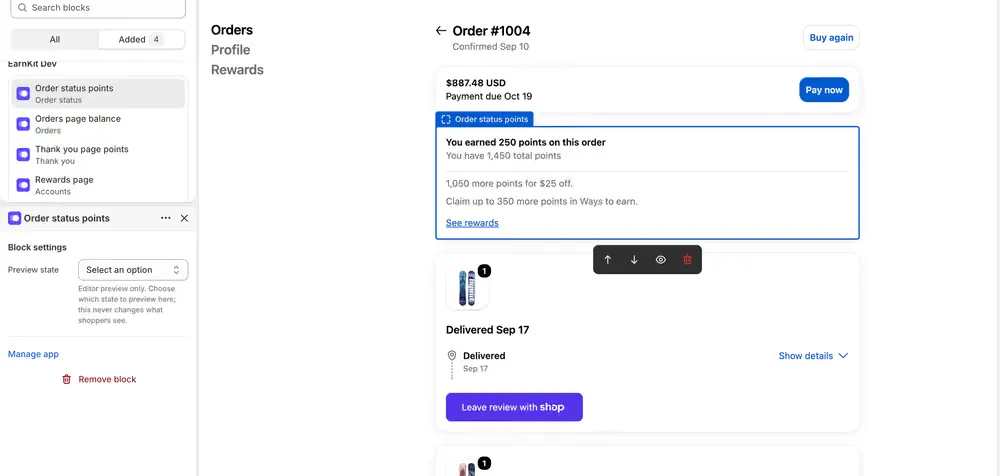
EarnKit notices this one by itself, as it does the thank-you page. There is nothing to confirm.
What customers see
This block is honest about state rather than always showing a number:
| Situation | What it says |
|---|---|
| Points awarded | “You earned N points on this order.” |
| Points still held | The same, plus when they will be ready, for example “These points are pending, they’ll be ready to use on August 16, 2026.” |
| Points taken back | “The points for this order were reversed.” |
| A held award cancelled | “The points for this order were cancelled,” with a reason. |
| The order earned nothing | Nothing at all. |
While EarnKit has not finished working out an order’s points, the block shows nothing rather than a blank space or a zero. It appears once there is something true to say.
That pending state is the reason this display is worth having. A customer who earned points that are not spendable yet can see exactly when they will be, instead of wondering why their balance looks wrong.