Birthday points
When this step is done, customers get a reason to come back once a year.
In EarnKit: Program › Ways to Earn
Birthday points reward a customer once a year, on the birthday they add themselves.
Before you start
Go to Program › Ways to Earn, and make sure Enable ways to earn is on.
Set up birthday points
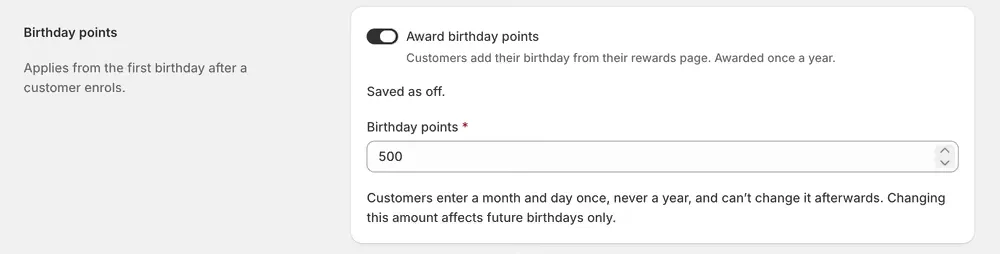
- Turn on Award birthday points.
- Set Birthday points to the number of points to award, a whole number of at least 1.
- Save your changes.
You can see and set the points amount even while the switch is off.
Choosing the amount
A birthday is the one day a year a customer is already being sold to by everyone else, so this award has to be worth noticing. It also goes to people who may not have bought anything for months, and it arrives whether they buy or not.
Somewhere short of a whole reward usually works best: enough that the email or the Rewards page is worth opening, not so much that a year of doing nothing hands them a free order. Compare the figure against your first reward before you settle on it.
What customers see
Customers add their birthday from the Rewards page, entering a month and day without a year. Once saved, they can’t change it afterwards.
Good to know
- Customers receive birthday points starting with the first birthday after they save their date. Saving a birthday on the day itself does not award points that day.
- The award happens once a year, automatically, on the customer’s birthday.
- For a February 29 birthday, points are awarded on 28 February in non-leap years.
- Changing the points amount only affects future birthdays, not ones already awarded.