The setup guide
EarnKit walks you through setting up your loyalty program. Here is how the program works, what you need before you begin, and where to start.
Last reviewed
The first time you open EarnKit, it walks you through setting up your program before showing you the rest of the app. You do not have to finish it in one go, and nothing you do here is visible to your customers until you choose to turn your program on.
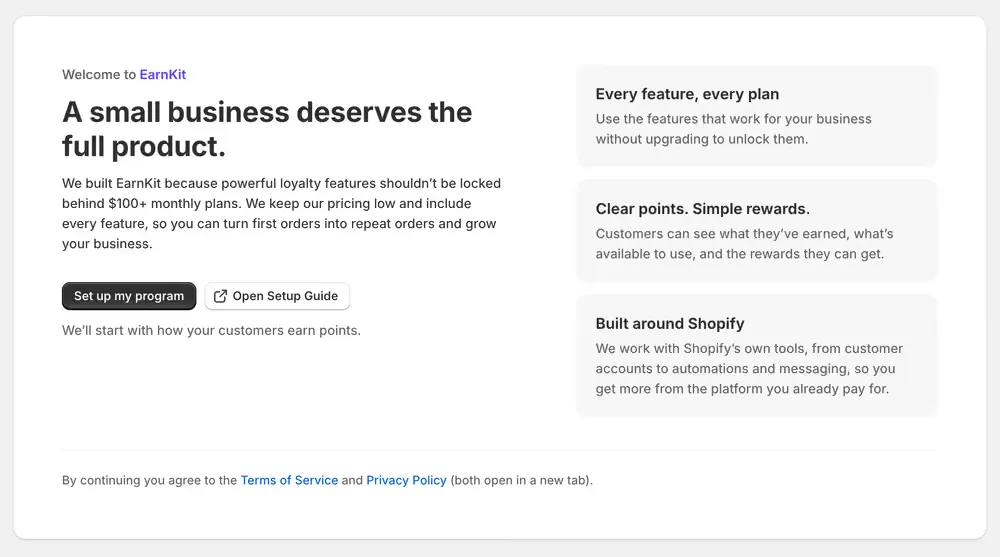
Set up my program starts the guide, and accepts the Terms of Service and Privacy Policy linked beneath it. Open Setup Guide opens this documentation beside the app, so you can keep it to hand while you work.
How your program works
Before asking you for anything, EarnKit shows you the loop your program creates.
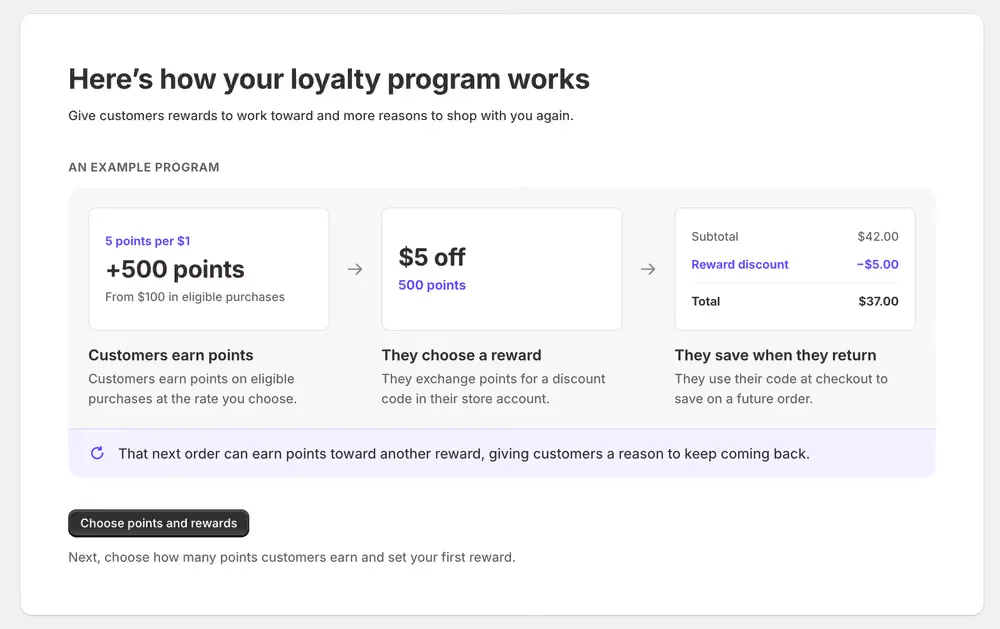
The worked example runs left to right, and it is an example rather than a recommendation:
- Customers earn points. At 5 points per $1, a $100 order of eligible purchases earns 500 points.
- They choose a reward. 500 points buys a $5 off reward, which becomes a discount code in their account with your store.
- They save when they return. On a later $42.00 order, the code takes $5.00 off, so they pay $37.00.
That third order earns points as well, which is the part that matters. The program gives a customer a reason to come back repeatedly rather than once.
Points are worked out on the merchandise total after discounts. Shipping, taxes and gift card purchases do not earn points. If you refund an order, EarnKit takes back points in proportion to the money you actually returned.
Before you start
Have two numbers roughly in mind:
- How many points a customer earns for each pound, dollar or euro they spend.
- What your first reward costs in points, and how much money it takes off an order.
You can change both whenever you like, so a sensible starting point is enough. Nothing here is locked in.
Not sure what numbers to pick? Our calculator lets you try your own figures and see what a reward would cost you before you commit to it. Open the loyalty program calculator , then come back here when you have a rate and a reward in mind.
What customers see while you set up
Nothing. Working through the guide saves your settings; it does not start awarding points and it does not put anything on your storefront. Points start when you turn your program on, and the places customers see their points, such as the Rewards page, are added separately afterwards.
Good to know
- Nothing moves you on by itself. You choose when to continue, and a finished step shows what you chose so you can change it.
- If you close EarnKit partway through, opening it again picks up at the first step you have not finished.
- You can finish setting up without switching earning on. EarnKit takes you to your dashboard, and you turn points on whenever you are ready from Program › Ways to Earn.
- Once your program is on, opening EarnKit takes you to your dashboard rather than back here.
Start here
Sixteen short pages, in order. Each one finishes something, and you can stop between any two and pick it up later. The rest of the guide is in the sidebar, and every page points to the next one when you are done with it.